
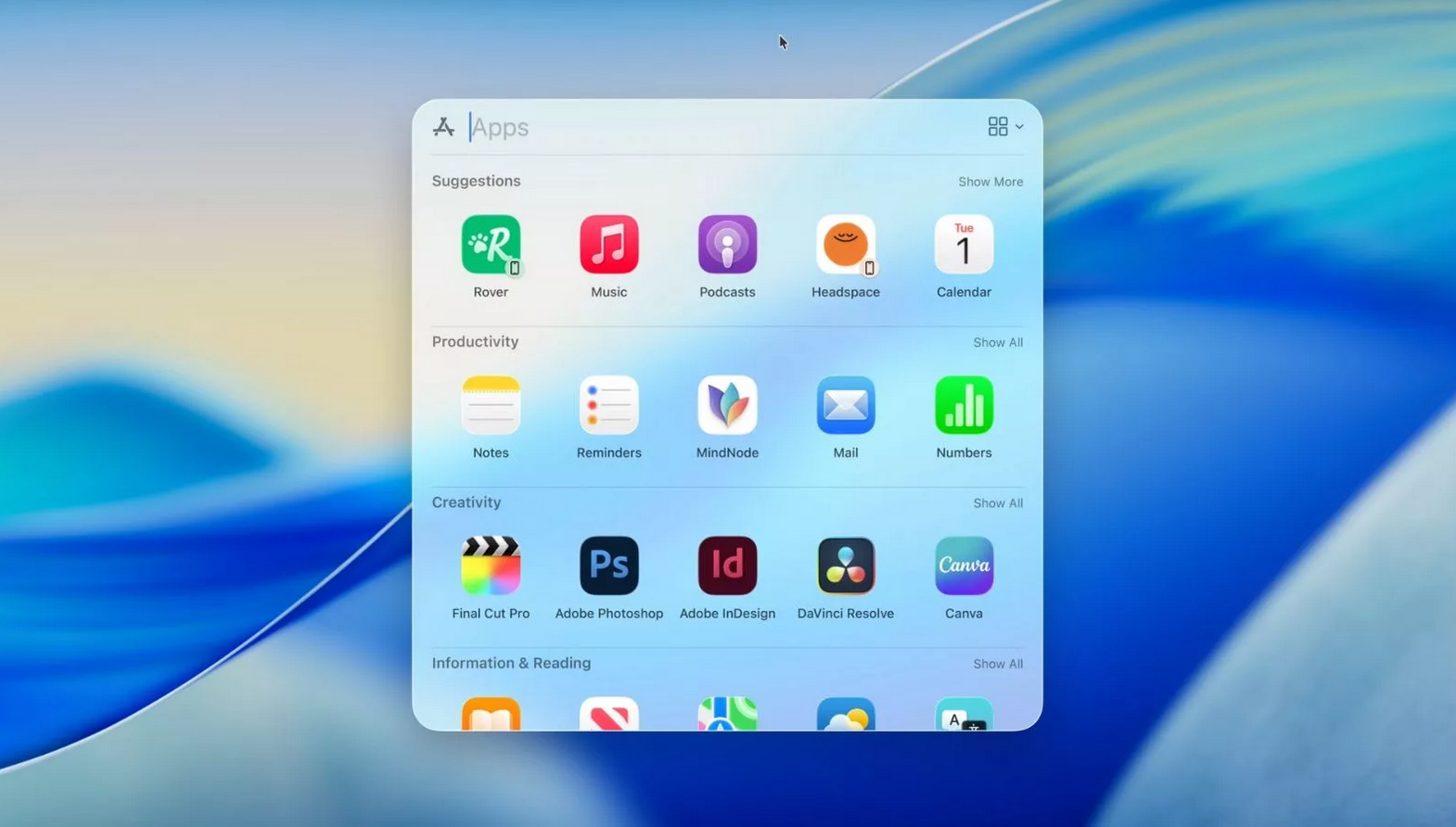
Apple’s latest macOS update has delivered a transformative, yet quietly revolutionary, upgrade to one of the platform’s oldest and most fundamental tools: Spotlight. This is no longer the simple file and application locator of the past. Through the strategic introduction of “Actions” and “Custom Quick Keys” Apple has effectively rebuilt Spotlight into a sophisticated, context-aware command center. This evolution fundamentally changes how users interact with their Mac. Enabling them to bypass traditional application-centric workflows and execute complex tasks directly from the keyboard. The result is a dramatic acceleration in productivity, reducing friction, minimizing application switching, and streamlining the entire digital workflow into a fluid, intention-driven experience.
From Query to Command: Unveiling the New “Actions” Feature
The most immediately impactful change is the “Actions” feature, which redefines the purpose of the Spotlight bar (activated with the ubiquitous Command-Space shortcut). Previously, you searched for an object a file, an app, a contact. Now, you can command an action.
- The New Workflow: Imagine you need to quickly email a colleague. Instead of launching Mail, clicking “New Message,” and typing their name, you now simply press Command-Space and type
"Email [Colleague's Name]". Spotlight instantly parses this intent, recognizes the action, and presents a direct button to create a new email pre-addressed to that contact. The same logic applies to a vast array of tasks:"Set a timer for 20 minutes,""Schedule meeting with team tomorrow at 3,""Create a new note about project ideas,"or even system-level commands like"Turn on Do Not Disturb." - The Underlying Intelligence: This functionality is powered by deep integration with macOS’s app intelligence (App Intents) and Siri’s natural language processing. Spotlight is no longer just indexing metadata; it is understanding intent and connecting it to the appropriate system service or application API. This creates a semantic layer over your entire Mac. Where you describe what you want to do, not what you want to find.
The Power User’s Dream: Building a Custom “Quick Keys” Shortcut Library
While Actions are powerful, the true paradigm shift for efficiency comes with “Custom Quick Keys.” This feature allows users to assign two-letter abbreviations to their most frequent and complex actions, building a personal macro language.
- How It Works: Within System Settings > Siri & Spotlight, you can now create and manage your Quick Keys. The process is simple: define a two-character key (e.g.,
NT) and link it to a specific action, like “Create New Note in the Notes App.” - Transforming Workflow: Once configured, your workflow becomes astonishingly fast. Instead of navigating menus or even typing a full sentence, you press Command-Space, type
NT, hit enter, and you’re instantly in a new blank note. A key likeEMcould launch a new email.MTcould create a calendar event titled “Team Stand-up.” This system turns Spotlight into a hyper-efficient, personalized command-line interface for daily life, shaving seconds off repetitive tasks dozens of times per day.

Enhanced Foundational Search: Smarter and More Contextual
Alongside these command features, the core search functionality has received significant under-the-hood improvements. Results are now delivered with even greater speed and are more intelligently categorized, allowing for seamless filtering between document types, applications, messages, and system settings. The search index delves deeper into file contents and metadata from connected applications. Making locating a specific passage in a PDF or an old iMessage conversation faster and more reliable than ever. This robust foundation of accurate, comprehensive search is what makes the new action-based features feel so instant and trustworthy.
Strategic Implications and Comparative Advantage
This update is a masterclass in enhancing an existing tool rather than introducing a new one, ensuring high adoption from the vast existing user base. It positions macOS as uniquely fluid for power users who live on the keyboard.
| The New Spotlight Advantage | Considerations and Workflow Shift |
|---|---|
| Reduced Cognitive Load: Users execute tasks by stating intent, not remembering app locations or menu paths. Keyboard-Centric Efficiency: Empowers users to keep their hands on the keyboard, minimizing mouse dependency. Deep System Integration: Leverages Apple’s vertical integration to connect commands directly to native apps and services seamlessly. Personalization: Quick Keys allow for a fully customized efficiency layer tailored to individual habits. | Learning Curve: Requires users to learn a new habit, moving from app-launching to command-issuing. Third-Party App Support: The richness of Actions depends on developers updating their apps to support the required App Intents framework. Recall of Quick Keys: Users must remember their personal two-letter codes, which may require an initial adjustment period. |
The Future of Desktop Interaction
Apple’s supercharged Spotlight represents a significant step toward a more intuitive, agent-based computing model. It moves the interface from a static set of tools (applications) to a dynamic, conversational assistant that fulfills requests. For users willing to invest a few moments in setting up Quick Keys, the payoff in daily time saved and friction reduced is substantial. This isn’t just an update to a search tool. It is a thoughtful reimagining of the Mac desktop. As a responsive environment where the barrier between thought and action is continually being diminished. The humble Spotlight search bar has, quietly, become the most powerful new feature on the Mac.
Explore Steaktek for more updates.

